Windows · Product Lifecycle
ඕනෑම software එකක් වගේම, Windows 11 එකටත් lifecycle එකක් තියෙනවා. "End of life" (EOL) කියන්නේ Microsoft ඒ version එකට support සහ security updates යැවීම නවත්තන point එක — ඒ කියන්නේ ඊට පස්සේ හම්බවෙන vulnerabilities හෝ bugs තවදුරටත් fix වෙන්නේ නෑ. Version එකක් ඒකේ EOL date එක පහුකරලා run කරන එකෙන් ඔබේ PC එක exposed වෙනවා.
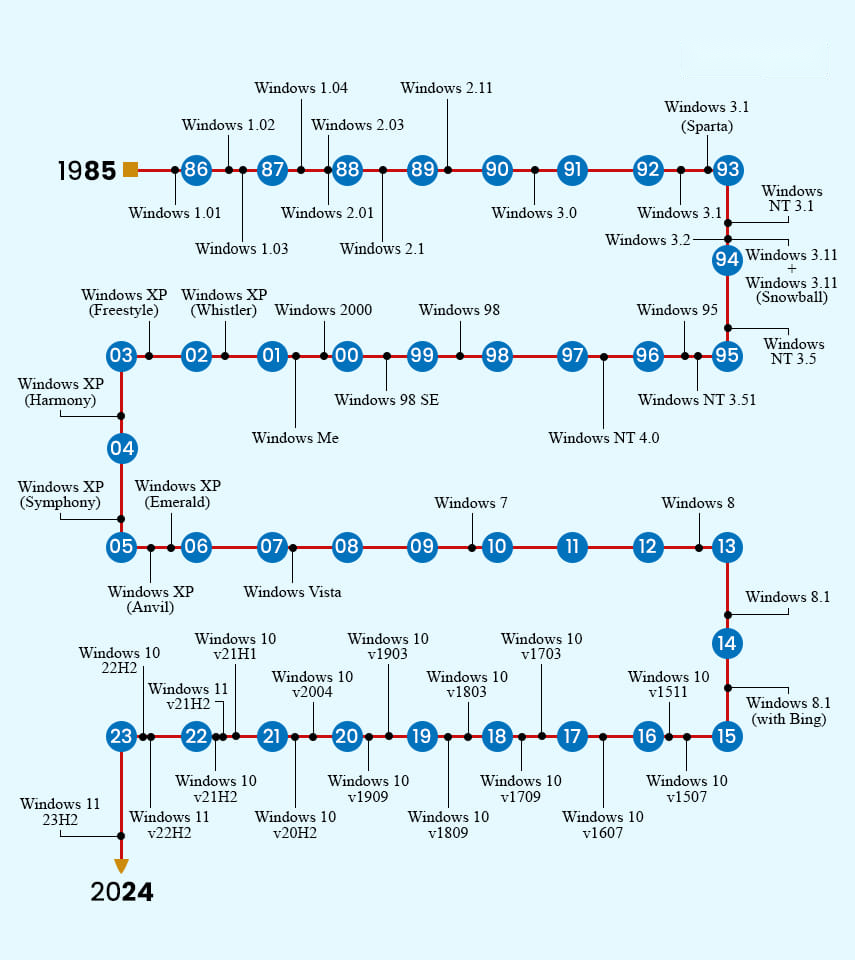
වැදගත් දෙයක්: Windows 11 product එකට single end-of-life date එකක් නෑ. Microsoft ඒක run කරන්නේ Modern Lifecycle Policy එක යටතේ: ඔබ PC එක දැනට supported feature update එකක තියාගන්නකම්, security updates ලැබෙනවා. හැබැයි එක එක annual feature update එකට තමන්ගේම support window එකක් තියෙනවා — මේ guide එකෙන් track කරන්නේ ඒක.
Support Status Key
| Active | Microsoft විසින් සම්පූර්ණයෙන් support කරනවා, security updates ලැබෙනවා. |
|---|---|
| Phasing Out | End of life එකට ළං වෙනවා (මාස ~2ක් ඇතුළත). දැන්මම upgrade/migration එක plan කරන්න. |
| End of Life | තවදුරටත් supported නෑ. තව security updates නෑ — හැකි ඉක්මනට upgrade කරන්න. |
Windows 11 Version Support Dates
පහත table එකේ එක එක Windows 11 release එක, ඒකේ support end dates සහ 2026 ජූනි වන විට current status එක සමඟ list කරලා. Consumer (Home/Pro) editions මාස 24ක් support වෙනවා; Enterprise සහ Education editions වලට මාස 36ක්; Long-Term Servicing (LTSC/IoT) releases ගොඩක් වැඩි කාලයක් support වෙනවා.
| Version | Released | Support Ends | Extended | Status |
|---|---|---|---|---|
| Windows 11 24H2 IoT (LTSC) | Oct 2024 | Oct 2029 | Oct 2034 | Active |
| Windows 11 24H2 Enterprise (LTSC) | Oct 2024 | Oct 2029 | Oct 2029 | Active |
| Windows 11 24H2 Enterprise / Edu | Oct 2024 | Oct 2027 | Oct 2027 | Active |
| Windows 11 24H2 (Home/Pro) | Oct 2024 | Oct 2026 | Oct 2026 | Active |
| Windows 11 23H2 Enterprise / Edu | Oct 2023 | Nov 2026 | Nov 2026 | Active |
| Windows 11 23H2 (Home/Pro) | Oct 2023 | Nov 2025 | Nov 2025 | End of Life |
| Windows 11 22H2 Enterprise / Edu | Sep 2022 | Oct 2025 | Oct 2025 | End of Life |
| Windows 11 22H2 (Home/Pro) | Sep 2022 | Oct 2025 | Oct 2025 | End of Life |
| Windows 11 21H2 (Home/Pro) | Oct 2021 | Oct 2024 | Oct 2023 | End of Life |
Dates approximate (Microsoft's published EOL එක list කරපු මාසයේ දෙවෙනි අඟහරුවාදාට වැටෙනවා). Upgrade decisions ගන්න කලින් හැමවෙලේම Microsoft's official lifecycle page එකට එරෙහිව confirm කරන්න.
Modern Lifecycle Policy එක වැඩ කරන්නේ කොහොමද
Modern Lifecycle Policy එක යටතේ, ඔබ supported version එකක තියාගන්නකම් Microsoft Windows 11 එක continuously serviced තියාගන්නවා. ප්රායෝගිකව, ඒ කියන්නේ එක එක annual feature update එක install කරන එකෙන් ඔබේ security updates බාධාවක් නැතුව ගලාගෙන යනවා.
මේ policy එකෙන් govern වෙන product එකක් retire කරන්න කලින් Microsoft අඩුම මාස 12ක notice එකක් දෙන්නත් commit වෙනවා, ඒ නිසා plan කරන්න හැමවෙලේම කාලය තියෙනවා. සැසඳීමකට, Windows 10 versions ඔක්කොම 2025 ඔක්තෝබර්වලට end of life වුණා — Microsoft users ලා ක්රමයෙන් Windows 11 වලට move කරගෙන යන්නේ ඒ නිසා.
Annual Version Releases
Microsoft අලුත් major Windows 11 feature update එකක් අවුරුද්දකට වරක්, සාමාන්යයෙන් ඔක්තෝබර් වගේ, release කරනවා. එක එක release එකේ consumer editions launch එකේ ඉඳලා මාස 24ක් support වෙනවා, Enterprise සහ Education editions මාස 36ක් — organisations බොහෝවිට ඒ editions වල standardize වෙන්නේ ඒ නිසා.
End-of-Support වර්ග තේරුම්ගන්න
Microsoft වෙනස් "end" milestones කිහිපයක් පාවිච්චි කරනවා. වෙනස දැනගන්න එකෙන් upgrade එකක් ඇත්තටම කොච්චර urgent ද කියලා තේරුම්ගන්න පුළුවන්.
End of mainstream support
මේ point එකට පස්සේ, Microsoft පහත දේවල් දෙන එක නවත්තනවා, හැබැයි security updates සාමාන්යයෙන් තව ටික කාලයක් යනවා:
- Free incident support.
- Warranty claims.
- Design changes සහ new feature requests.
- Non-security hotfixes.
Mainstream support සාමාන්යයෙන් අවුරුදු 5ක් විතර යනවා.
End of extended support
මේ තමයි hard cut-off එක. Extended support ඉවර වුණාම, ඔබට ලැබෙන්නේ:
- තව security updates නෑ.
- තව paid support නෑ.
- තව updated documentation හෝ knowledge-base content නෑ.
End of Long-Term Servicing Channel (LTSC) support
LTSC releases fixed, stand-alone products විදිහට සලකනවා: ඒවායේ features සහ functionality කවදාවත් වෙනස් වෙන්නේ නෑ, ඒවාට ජීවිත කාලය පුරාම ලැබෙන්නේ security updates විතරයි. Microsoft LTSC releases අවුරුදු 10ක් දක්වා support කරනවා, specialized හෝ mission-critical systems වලට ඒවා popular වෙන්නේ ඒ නිසා. Windows 11 එකට දැන් LTSC සහ IoT LTSC releases තියෙනවා (24H2 cycle එකෙන් introduce කරලා), ඒවායින් දිගම support වෙන එක 2034 දක්වා යනවා.
ඔබ කරන්න ඕන දේ
- ඔබ run කරන version එක බලන්න: Windows key + R press කරලා winver type කරලා Enter කරන්න.
- ඒක තවම supported ද කියලා බලන්න උඩ table එකට එරෙහිව compare කරන්න.
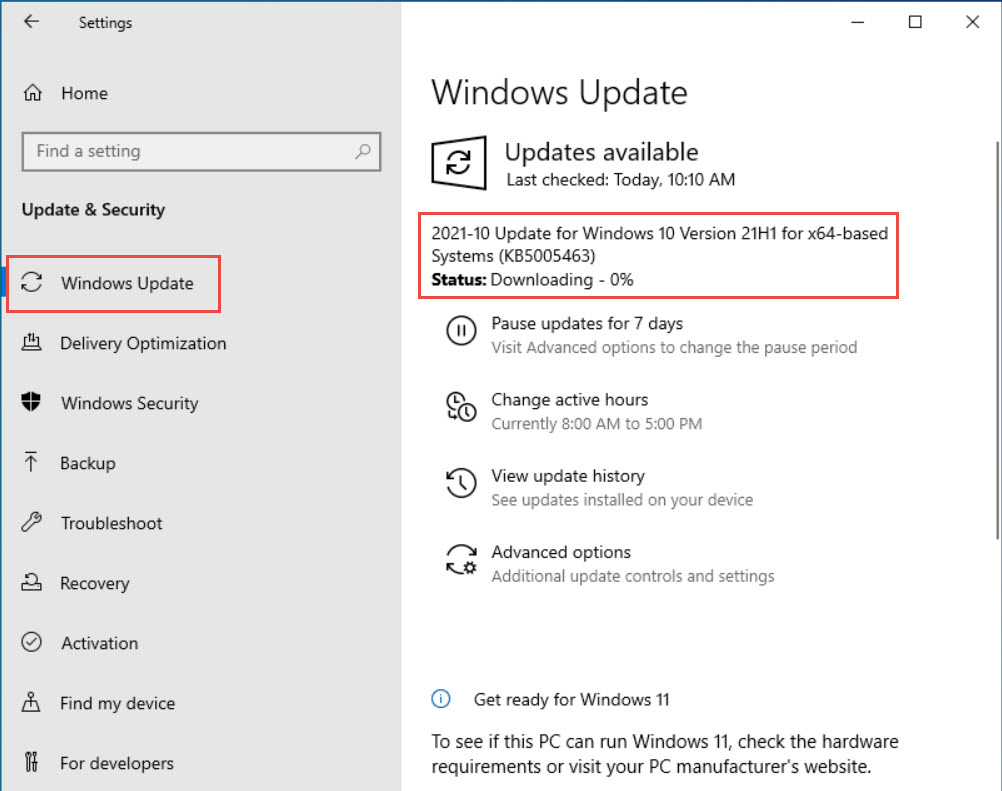
- End of Life හෝ Phasing Out පෙන්නනවා නම්, Settings > Windows Update එකෙන් latest feature update එකට update කරන්න.
- Business-critical machines වලට, දිග support window එකකට Enterprise/Education හෝ LTSC release එකක් සලකා බලන්න.
ඔබේ Windows version එක check කරන්න හෝ machines කිහිපයක් හරහා upgrade එකක් plan කරන්න උදව් ඕනද? SoftwareKey.lk support team එක්ක කතා කරන්න, නැත්නම් තව guides වලට softwarekey.lk එකට යන්න.