Overview
Key Management Service (KMS) is Microsoft’s volume activation technology for organizations that hold volume licensing agreements. It lets many corporate devices activate against an internal server. This guide outlines the legitimate setup for licensed environments.
Key Takeaways
- KMS is intended for organizations with valid Microsoft volume licensing.
- A KMS host activates eligible clients on the internal network.
- It requires a KMS host key from the Microsoft Volume Licensing Service Center.
- Clients activate automatically once pointed at the host.
Warning: KMS is only for organizations that own the appropriate Microsoft volume licenses. Do not use KMS emulators or unofficial servers to bypass activation — that violates licensing terms and is not supported. If you need a license, purchase one from Microsoft or an authorized reseller.
Set Up the KMS Host (Licensed Environments)
1. Obtain your KMS host key from the Microsoft Volume Licensing Service Center.
2. On the host server, install the Volume Activation Services role.
3. Install the KMS host key with slmgr /ipk <host-key> and activate it with Microsoft.
4. Ensure the KMS service port (default 1688) is open on the network.
Activate Clients
1. Client editions ship with a public Generic Volume License Key and find the host via DNS automatically.
2. To point a client manually, run slmgr /skms hostname:1688.
3. Trigger activation with slmgr /ato.
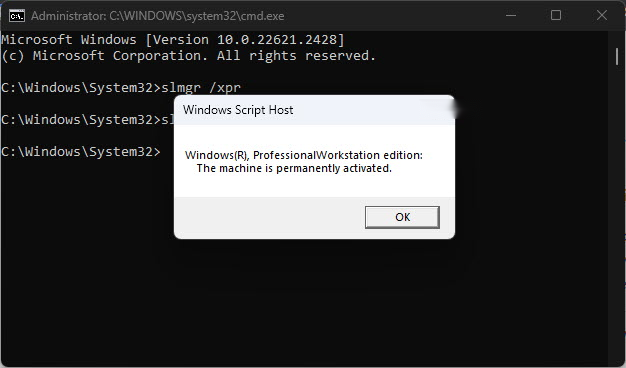
4. Check status with slmgr /dlv.
Troubleshooting
Problem: Clients cannot find the KMS host.
Solution: Confirm the DNS SRV record exists or point clients manually with slmgr /skms, and open port 1688.
Problem: Activation count is too low.
Solution: KMS requires a minimum number of clients (activation threshold) before it activates them; add more eligible devices.
Problem: The host key will not install.
Solution: Verify you used a KMS host key, not a client key, and that the server role is installed.
Problem: You do not have volume licensing.
Solution: KMS is not applicable; purchase a retail or OEM license from Microsoft or an authorized reseller.
Conclusion
For licensed organizations, KMS streamlines activation across many devices. Obtain a proper host key, configure the host, and clients activate automatically — always within the terms of your volume license.
About SoftwareKey.lk
This guide is part of the SoftwareKey.lk Knowledge Base. For more step-by-step IT guides and support, visit softwarekey.lk.