Overview
Key Management Service (KMS) කියන්නේ volume licensing agreements තියෙන organizations වලට Microsoft ගේ volume activation technology එක. එයින් corporate devices ගොඩක් internal server එකකට එරෙහිව activate කරන්න පුළුවන්. මේ guide එකෙන් licensed environments වලට legitimate setup එක outline කරනවා.
Key Takeaways
- KMS අදහස් කරන්නේ valid Microsoft volume licensing තියෙන organizations වලට.
- KMS host එකක් internal network එකේ eligible clients activate කරනවා.
- එයට Microsoft Volume Licensing Service Center එකෙන් KMS host key එකක් ඕන.
- host එකට point කළ ගමන් clients automatically activate වෙනවා.
Warning: KMS තියෙන්නේ appropriate Microsoft volume licenses තියෙන organizations වලට විතරයි. activation bypass කරන්න KMS emulators හෝ unofficial servers use කරන්න එපා — එය licensing terms උල්ලංඝනය කරනවා, support කරන්නෙත් නෑ. ඔබට license එකක් ඕන නම්, Microsoft එකෙන් හෝ authorized reseller කෙනෙක්ගෙන් එකක් මිලදී ගන්න.
Set Up the KMS Host (Licensed Environments)
1. ඔබේ KMS host key එක Microsoft Volume Licensing Service Center එකෙන් ලබාගන්න.
2. host server එකේ, Volume Activation Services role එක install කරන්න.
3. slmgr /ipk <host-key> එකෙන් KMS host key එක install කරලා Microsoft එක්ක activate කරන්න.
4. KMS service port එක (default 1688) network එකේ open බව සහතික කරගන්න.
Activate Clients
1. Client editions එන්නේ public Generic Volume License Key එකක් එක්ක, ඒවා host එක DNS හරහා automatically හොයාගන්නවා.
2. client එකක් manually point කරන්න, slmgr /skms hostname:1688 run කරන්න.
3. slmgr /ato එකෙන් activation එක trigger කරන්න.
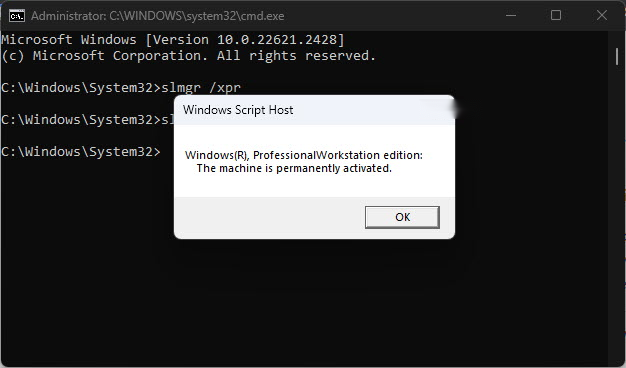
4. slmgr /dlv එකෙන් status එක check කරන්න.
Troubleshooting
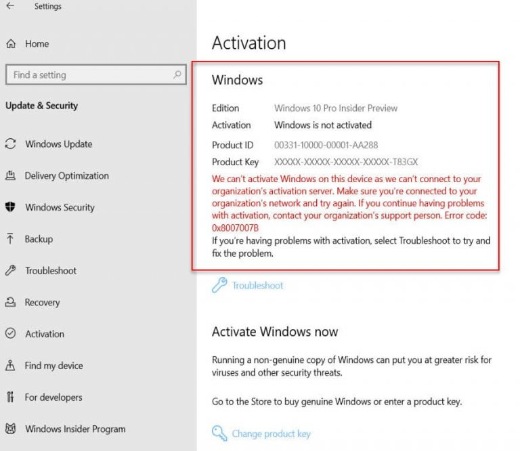
Problem: clients වලට KMS host එක හොයාගන්න බෑ.
Solution: DNS SRV record එක තියෙනවද confirm කරන්න හෝ slmgr /skms එකෙන් clients manually point කරලා, port 1688 open කරන්න.
Problem: activation count එක ගොඩක් අඩුයි.
Solution: KMS එකට clients activate කරන්න කලින් minimum client ගණනක් (activation threshold) ඕන; තව eligible devices එකතු කරන්න.
Problem: host key එක install වෙන්නේ නෑ.
Solution: ඔබ client key එකක් නෙවෙයි KMS host key එකක් use කළාද, server role එක install වෙලාද කියලා verify කරන්න.
Problem: ඔබට volume licensing නෑ.
Solution: KMS applicable නෑ; Microsoft එකෙන් හෝ authorized reseller කෙනෙක්ගෙන් retail හෝ OEM license එකක් මිලදී ගන්න.
Conclusion
licensed organizations වලට, KMS එකෙන් devices ගොඩක් හරහා activation එක streamline වෙනවා. නියම host key එකක් ලබාගෙන, host එක configure කරලා, clients automatically activate වෙනවා — හැමවිටම ඔබේ volume license එකේ terms ඇතුළත.
About SoftwareKey.lk
මේ guide එක SoftwareKey.lk Knowledge Base එකේ කොටසක්. තව step-by-step IT guides සහ support වලට softwarekey.lk එකට යන්න.